This post contains affiliate links (#ad). As an Amazon Associate, I earn from qualifying purchases.
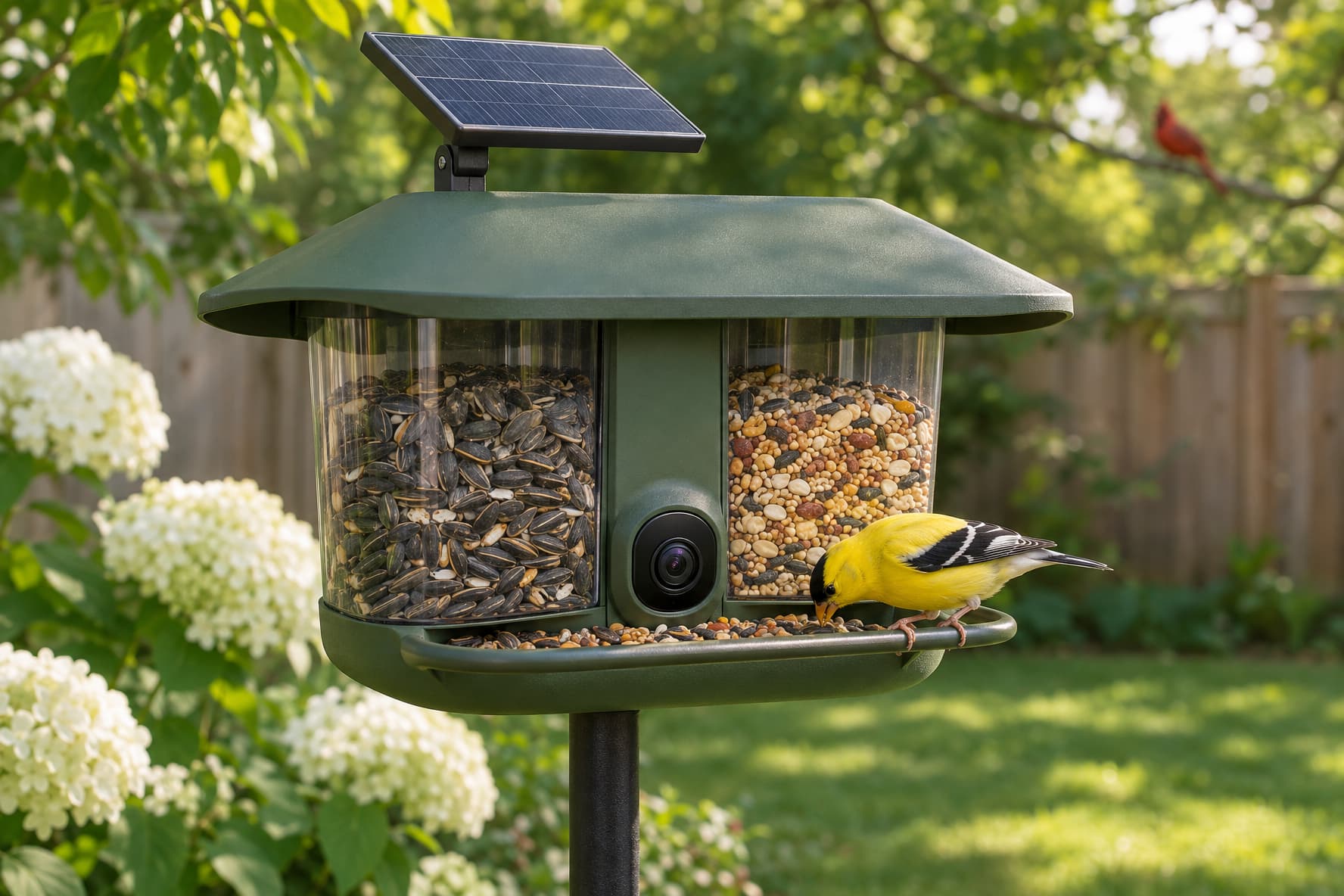
Scene images in this post are illustrations created for this site. See each product listing for the actual item.
Bird Feeder Cameras: 3 Smart Picks for Backyard Birdwatching
Three solar-powered bird feeder cameras, from a budget pick to 4K with lifetime bird ID, plus a clear look at what's free and what's paid.
A bright red cardinal lands on the feeder, and by the time you grab your glasses, it’s gone. A bird feeder camera catches that moment for you, records the visit, and sends it straight to your phone, so you can see who’s been dropping by while you were at work or still in your slippers.
I’ve picked three that cover the range: a 4K feeder with bird ID for life, a friendly budget option, and a mid-priced favorite that names your birds for free. For each one, I’ve spelled out what you get for free and what costs extra, so there are no surprises after the box is open.
Details and prices can change, so check each listing before you buy.
How to Choose the Right One
A few quick matches make the choice easier:
- If you want every bird named with no monthly bill, look for lifetime or free-for-life AI bird ID.
- If you want the sharpest close-ups, look for a 4K camera with a wide lens.
- If you want the whole family watching, look for free sharing with plenty of guest spots.
- If you want to keep clips for a while, look for free cloud history or a microSD slot.
- If your yard has shade, look for a solar panel on its own cable that you can aim at the sun.
- If you’re on a tight budget, look for strong live view and alerts, and expect to pay later for extras.
Top picks at a glance (links go to Amazon)
- Top pick: Kiwibit Smart Bird Feeder with Camera
- Budget pick: HEAPETS Bird Feeder with Camera
- Value pick: NETVUE by Birdfy Smart Bird Feeder
Picks Worth Looking At
4K Close-Ups and Bird ID for Life: Kiwibit Smart Bird Feeder with Camera
Watching a goldfinch land on this feeder, up close and beautiful in 4K through a wide 132-degree lens, is one of the small joys of keeping a camera feeder. This version includes AI bird ID for life, so every visitor gets a name with no monthly bill. Up to 20 family members can join the fun, from grandkids at college to Grandpa in the next state.
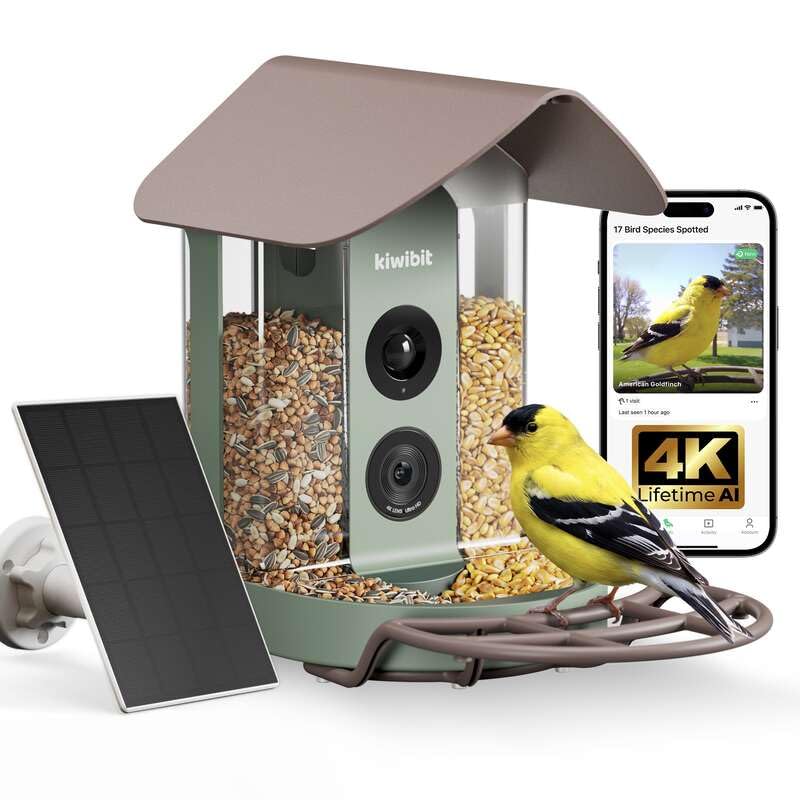
This camera feeder is a great fit for bird lovers who’d rather not pay a monthly subscription for bird ID, because this listing includes lifetime AI identification of 10,000+ species. Birds keep their own schedule. A chickadee might drop by while you’re at work or stirring the soup. When something lands, the camera sends an alert and records the visit, so you can catch up whenever it suits you. The wide lens takes in the whole perch, which is handy when a sparrow, a wren, and a goldfinch all show up for breakfast at once. Kiwibit lists 4K HDR video, 8MP photos, night vision for the dawn and dusk crowd, and two-way audio so you can hear every chirp.
Watching from your phone has a quiet bonus, too. You stay indoors and out of sight, so shy birds like blue jays aren’t spooked by movement at the window.
Kiwibit at a Glance
| Feature | What Kiwibit lists |
|---|---|
| Video and photos | 4K HDR video, 8MP photos, 132° lens, night vision |
| Bird ID | Lifetime AI, 10,000+ species, no subscription |
| Sharing | Up to 20 family members |
| Power | 3W tilting solar panel on a 9.3-foot cable, 5,200mAh removable battery, USB-C charging |
| Seed capacity | 1.5 liters, two compartments |
| Weather rating | IP65 dust and water resistance, -4°F to 122°F |
| Storage | Cloud history up to 60 days, microSD up to 512GB (sold separately) |
| Recording length | Up to 3 minutes per clip |
| Size and weight | About 7.7 x 7.1 x 11 inches, 3.3 pounds |
| Build | Reinforced plastic body, alloy holder |
| Mounting | Wall, tree strap, or pole (pole sold separately) |
| Warranty | 1 year |
What Lifetime AI Does for You
The AI does more than put a name to a feathered face. According to Kiwibit, the Lifetime version includes, at no extra cost:
- Bird ID from a library of 10,000+ species
- Fewer false alerts from wind and swaying leaves
- Bird Wiki and Nature Expert facts about each visitor, so you learn as you watch
- Bird Keyshots, highlight clips captured automatically from the day’s best moments
- Cloud storage of up to 60 days
- Longer recordings, up to 3 minutes per clip
For longer-term keeping, the feeder also takes a microSD card up to 512GB (sold separately).
Sharing is simple. Family and friends create a Kiwibit account, scan your sharing code in the app, and they’re in, with no setup on their end.
Want to spend less up front? The same listing also sells an “AI By Subscription” version. Live view, playback, and motion alerts are still free on that one, but bird ID becomes a $7.99-a-month plan after a 30-day trial, free cloud history drops to one day, and clips run up to 1 minute.
A Lighter Carbon Footprint
For a healthier planet, this one has a feather in its cap. The Kiwibit feeder is part of Amazon’s Climate Pledge Friendly program and is ClimeCo Certified for carbon impact. That means the carbon emissions from its whole lifecycle were measured, then reduced and/or offset, and the company is committed to continuing those reductions.
Solar Power You Can Aim at the Sun
The 3W solar panel mounts separately on a 9.3-foot cable and tilts, so you can angle it lower in winter when the sun rides closer to the horizon. You can tuck the feeder near a shady shrub where birds feel safe and still give the panel a sunny spot. It keeps a 5,200mAh battery topped up. During long gray spells, pop the battery pack out and charge it indoors with a USB-C cable. Kiwibit also sells a spare battery module for quick swaps.
Kiwibit rates the feeder IP65 for dust and water resistance, with an operating range of -4°F to 122°F. One small step keeps it weatherproof: push the charging plug all the way in. If you can still see a rubber ring around the plug, it isn’t sealed.
Setup, Refills, and Cleaning
The feeder measures about 7.7 x 7.1 x 11 inches and weighs 3.3 pounds, with a reinforced plastic body and an alloy holder. The box includes mounts for a wall, a tree strap, or a pole (the pole itself is sold separately). To pair the feeder with the Kiwibit app, follow the video guide on the product page or scan the code on the Quick Start Guide. Before you mount it, stand at your chosen spot with your phone and check the WiFi signal. If it’s weak, a WiFi extender near a window can help.
The 1.5-liter hopper has two sections, so you can offer sunflower seed on one side and a mix on the other to draw a wider crowd. You can refill it without taking the feeder down, and the parts come apart for washing. Every week or two: – Empty old or damp seed. – Wash the tray in warm, soapy water. – Let everything dry fully before refilling. – Wipe the camera lens with a soft cloth.Clean feeders help keep birds healthy, and a clean lens keeps your clips sharp.
Optional Extras
None of these are needed to start watching birds, but they’re worth knowing about:
- microSD card, for saving clips locally (up to 512GB)
- Mounting pole, if you won’t use a wall or tree
- Spare battery module, for quick swaps on cloudy weeks
- Hummingbird feeder kit, to welcome nectar lovers too
- Squirrel baffle, sold separately or in a bundle with the feeder
What you’ll like:
- Lifetime AI bird ID with no monthly fee
- 4K video through a wide 132-degree lens
- Free sharing with up to 20 family members
- A tilting solar panel on a long cable, plus a removable USB-C battery
- A two-compartment hopper that refills in place and comes apart for cleaning
- Wall, tree, or pole mounting
- ClimeCo Certified for carbon impact
Keep in mind:
- It connects to 2.4GHz WiFi only. If your router blends 2.4GHz and 5GHz under one name, pairing can get confused, so you may need to separate them first.
- Squirrels may chew the cable between the solar panel and the feeder. Run it where they can’t reach, or protect it with a cord cover.
- Solar charging slows in shady yards and on short winter days. If the battery runs low, pull the pack and charge it indoors.
- The app has a lot to explore. Give yourself a relaxed afternoon to set it up.
- A small scoop makes refills neater than pouring straight from the bag.
- Voice control needs an Alexa device with a screen, such as an Echo Show.
- Before you buy, check the current warranty and support details on the product page.
Best for: Families, gift shoppers, and curious birders who want the sharpest close-ups and bird ID with no monthly fee.
Close-Ups on a Budget: HEAPETS Bird Feeder with Camera
Get a front-row seat to your backyard without leaving the couch. This cheerful red feeder has a 2K camera built right in, pings your phone when a bird lands, and charges itself from a solar panel on the lid. It’s a friendly, affordable way to find out who’s been eating all that seed.
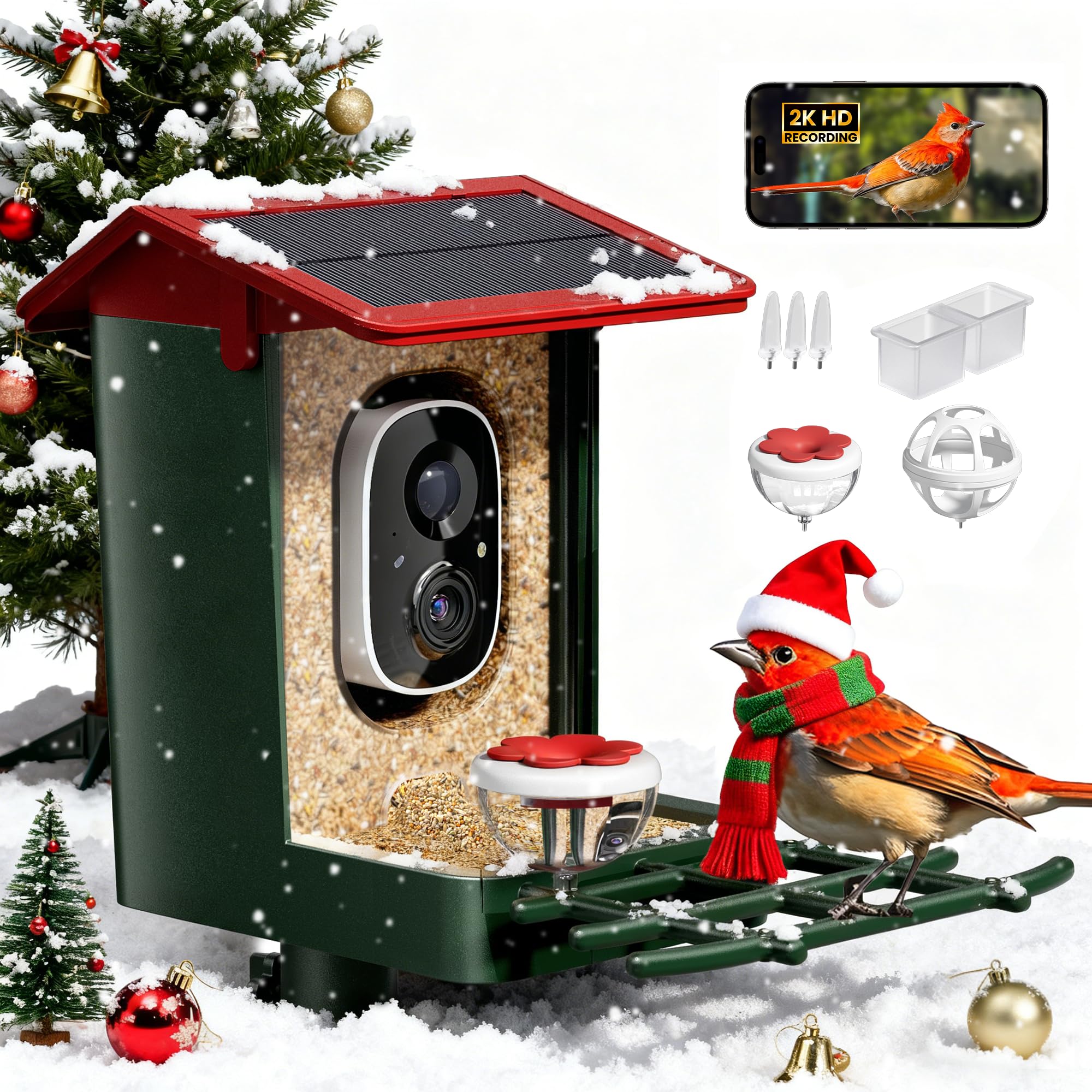
Because the camera sits right beside the perch, you see birds far closer than you ever could through a window. Motion sets off a “bird’s here” alert, and from there you can open the live 2K feed or watch the clip later. Clips can be shared with as many friends and family as you like, though only two people can watch the live stream at the same time.
What Comes in the Box?
You get the seed container with the camera built in, a lid with the solar panel, a USB-C charging cable, mounting accessories, and installation tools. The body is ABS plastic, it weighs about 3.5 pounds, and the seed bin holds 1.25 liters. A 360-degree adjustable perch and a top that opens for refills round it out. It can go on a tree, pole, or wall.
What’s Free and What’s Paid?
This is the part worth reading before you buy. Here’s what the listing says:
| Feature | What the listing says |
|---|---|
| Live 2K view and arrival alerts | Included |
| Video recording | Turn on the 2-year Basic Service package in the app (Device Settings > Cloud Service). Without it, the feeder saves photos instead of video. After 2 years, video recording needs a subscription. |
| AI bird ID (10,000+ species) | Free for the first month, then a monthly or yearly plan |
| Plan prices | Not listed on the product page, so check the app |
If you’re happy watching live and figuring out the birds yourself (or with a field guide on the windowsill), the free side covers plenty. If naming every visitor matters to you, the NETVUE just below includes bird ID for life.
Give the Solar Panel Some Sun
A 5,000mAh rechargeable battery runs the camera, and the solar panel on the lid keeps it topped up. The brand asks for two things: charge the camera fully through USB-C before you install it, and mount it facing the sun with more than 4 hours of direct light a day. A shady tree branch or a north-facing wall won’t cut it. During long gray stretches, the USB-C cable gives the battery a quick boost.
Refills and Everyday Care
The top opens for refills, and the 1.25-liter bin is on the small side, so a busy feeder may need topping off every few days. Now and then, wipe the lens and the solar panel, and clear out old or damp seed before it spoils.
Keep in mind:
- Record and ID features depend on the app’s service plans. Check the current plan prices in the app before the trial ends.
- It connects to 2.4GHz WiFi only. Check the signal at your chosen spot first, since a weak connection means missed alerts. A WiFi extender can help if the feeder sits far from your router.
- Squirrels and raccoons are curious about the power cord. Tuck it out of reach or protect it with a cord cover.
- It isn’t squirrel-proof, and clever ones can learn to pop the lid. A baffle on the pole helps.
- Shade is the solar panel’s enemy. If the battery keeps running low, move the feeder somewhere sunnier.
- The app takes a little patience to learn, so set it up on a day you’re not in a hurry.
- Before you buy, check the current warranty and support details on the product page.
Best for: Budget-minded bird lovers who mostly want live close-ups and arrival alerts, and don’t mind identifying birds themselves.
Meet Your Backyard Visitors Up Close: NETVUE by Birdfy Smart Bird Feeder with 2K Camera
Turn your backyard into a live nature show. This solar-powered feeder catches every visitor in crisp 2K video, sends the moment straight to your phone, and names the bird that just stopped by, free for life. And it’s not just birds. Bears, foxes, raccoons, and rabbits can turn up too, and an optional upgrade can name 16 common backyard animals. Now your morning coffee comes with a front-row seat to your own backyard nature show.
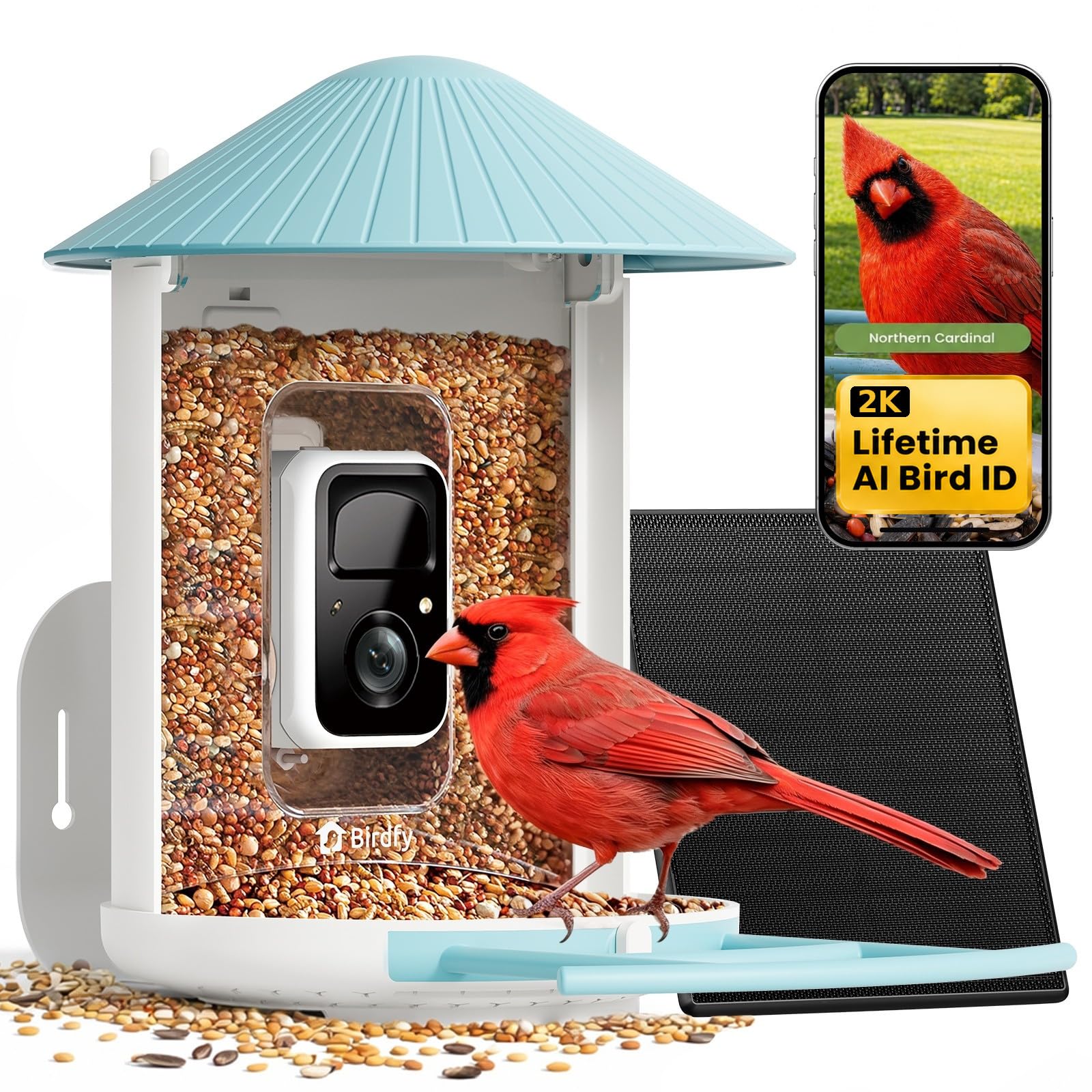
When a bird lands, the camera records a short 2K clip, pings your phone, and suggests the species. NETVUE says its AI covers over 99% of the roughly 11,000 bird species in the world. Cardinals, finches, chickadees, blue jays, sparrows, and nuthatches are all regulars at seed feeders like this one. Color night vision keeps watch after dark too. In town, that might mean a squirrel plotting a seed heist or a raccoon on the night shift. Out in the country, maybe a deer, a fox, or the occasional curious cow.
You can watch live anytime, hear the birdsong through the speaker, and scroll back through 30 days of saved clips, sorted by date. Favorites can go into 5GB of free cloud storage or download straight to your phone. Better still, you can invite 20+ family members and friends to watch clips or the live stream at the same time, at no cost. That makes it a lovely gift for grandparents, or for a family spread across the country who’d all enjoy the same cardinal visit. New birders get a bonus, too: the app includes Birdfypedia for bird facts and a free 24/7 helper called Bird Expert Joy for questions about attracting more visitors.
What’s Free and What’s Paid?
| Feature | What the listing says |
|---|---|
| AI bird ID | Free for life |
| Automatic recording, instant alerts, and live streaming | Free |
| Video history | 30 days, free |
| Cloud storage | 5GB for favorite clips, free |
| Sharing | 20+ guests can watch at the same time, plus sharing to social media, free |
| Advanced AI features (such as naming other backyard animals) | Optional paid membership |
For most bird lovers, the free side covers everything they’ll use. That’s the big difference from the HEAPETS above, where recording and bird ID lean on paid plans. The membership here is a nice extra if you want the raccoons and deer named too.
Made With Recycled Materials
Here’s a detail I like for a healthier home and planet. This feeder is part of Amazon’s Climate Pledge Friendly program, and its certification under the Global Recycled Standard (GRS) means it contains at least 50% recycled material. The GRS also checks that it’s made with chemicals considered safer for people and the environment, in facilities that protect workers’ health and rights. The certifier is TÜV Rheinland.
Size, Power, and Setup
The feeder measures about 11.1 x 7.5 x 14.2 inches, weighs around 3 pounds, and holds 1.5 liters of seed in a weather- and UV-resistant ABS shell. A built-in 5,200mAh battery runs the camera, and the solar panel keeps it topped up. It mounts on a wall, pole, or tree, and it works with Alexa if you’d like to check in by voice.
Pick a spot with three things: a strong WiFi signal, several hours of direct sun on the panel, and a shrub or two a few feet away so birds have cover for a quick getaway.
Keep It Clean for Healthy Birds
A clean feeder keeps your visitors healthy. Every week or two:
- Empty any old or damp seed.
- Wash the tray with mild soapy water.
- Rinse well and let it dry completely.
- Wipe the camera lens gently so your videos stay clear.
Mount it where you can reach it safely without a tall ladder, since you’ll be taking it down for refills and cleaning.
Keep in mind:
- It connects to 2.4GHz WiFi only. Nearly all home routers offer 2.4GHz, so pick that network during setup. If your router blends 2.4GHz and 5GHz under one name, you may need to separate them first. Check the signal at your chosen spot before mounting.
- Charge the camera and finish pairing it with the app before you mount it. It’s much easier with the feeder in your hands.
- Shady yards and short winter days slow the solar charging. Keep an eye on the battery level in the app, and top it up with a cable if needed.
- A busy feeder empties the 1.5-liter hopper faster than you’d expect, so check it every few days at first.
- Look over the mounting bracket and bolts now and then for rust, especially in wet climates.
- Squirrels will want their share. A spot away from jumping-off branches, or a baffle on the pole, helps.
- Before you buy, check the current warranty and support details on the product page.
Best for: Bird lovers, families, and gift shoppers who want to see and name backyard visitors from their phone, with no monthly fee.
A Few Smart Rules
Three rules will save you most of the headaches:
Rule 1: Check what’s free before you fall for the camera. Two feeders can look alike and cost very different amounts over a year. The Kiwibit Lifetime version and the NETVUE name your birds at no extra charge, while the HEAPETS needs a paid plan for bird ID after the first month, and for video recording after two years.
Rule 2: Follow the sun and the signal. Every feeder here runs on solar power and connects to 2.4GHz WiFi only. A spot with 4+ hours of direct sun and solid WiFi beats a pretty spot under the oak tree every time.
Rule 3: Plan for squirrels. They’ll want the seed, and some will chew a power cord just for fun. Keep cords tucked out of reach, and mount the feeder away from jumping-off branches or add a baffle.
Quick tip: Give the birds a week. A new feeder often sits quiet for a few days while the neighborhood decides it’s safe, so don’t move it on day two.
Cheaper Ways to Get the Same Effect
You don’t have to buy the top model to enjoy the show:
- The NETVUE costs less than the Kiwibit Lifetime and still names your birds for free. You give up some sharpness, not the fun.
- If you can live without bird ID, the Kiwibit “AI By Subscription” version costs less up front, and its live view, playback, and alerts are free.
- Mount on a sturdy wall or tree you already have instead of buying a pole.
Your Next Move
If the backyard is your happy place, our guide to yard and pool robots has a few more ways to enjoy it with less work.
So, which sounds most like you: the Kiwibit for 4K close-ups and bird ID for life, the HEAPETS for live views on a budget, or the NETVUE for free bird ID with the whole family watching?